


Learn Languages - Lucida AI
4.6452.00 Reviews
App Specs
- Version
- 2.8.6
- Updated On
- License
- Free
- Downloads
- 1,000,000+
- Developer
- Lucida AI Teknoloji Anonim Sirketi
- Categories
- Education
- Platform
- Android, iOS
Screenshots

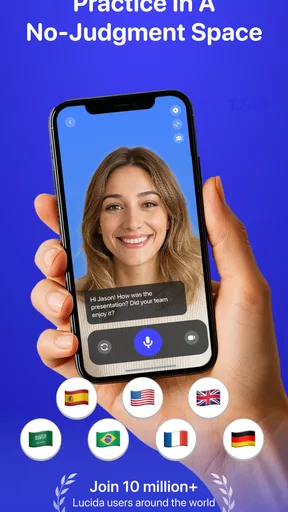
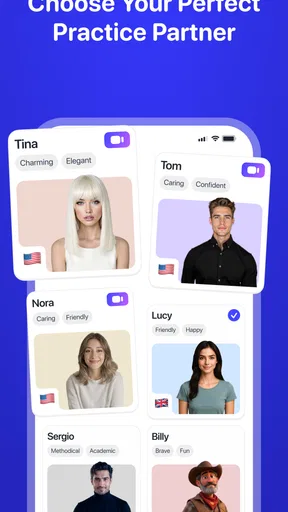
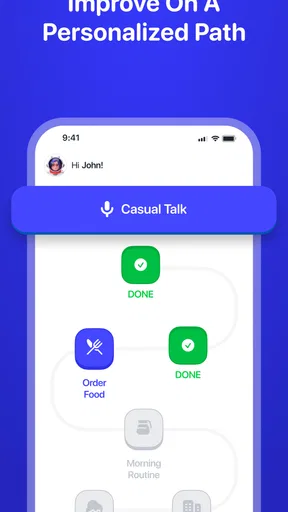
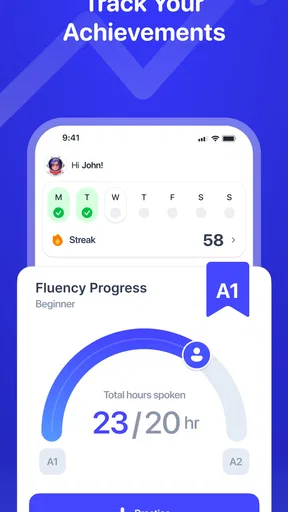
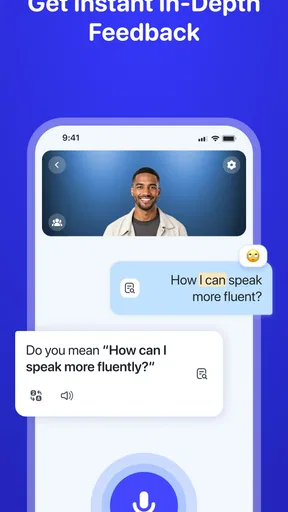
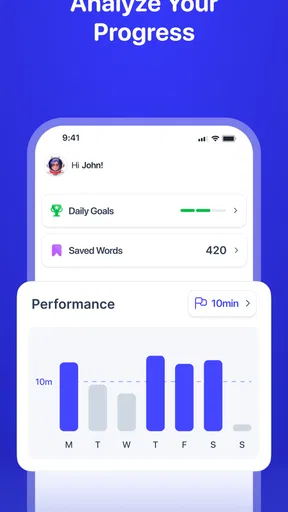
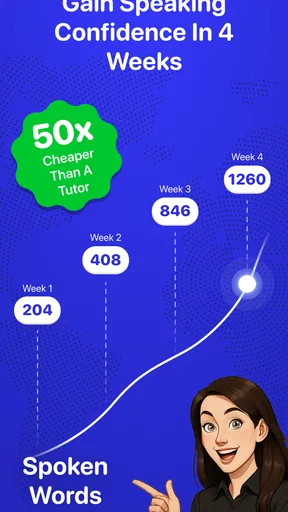
 Analysis by AppCompare
I came away thinking of Learn Languages - Lucida AI as a useful way to practise speaking, rather than a complete replacement for a teacher or a structured course. Its conversational, AI-led approach is the main reason to try it: it gives language practice a more personal feel than studying a list of words alone. That focus is also a limitation. If you mainly want a rigorous grammar syllabus, live human feedback, or a clear path to an exam, I would look at other resources alongside it.
Where an AI tutor can make practice easier
Language learners often know more than they can comfortably say. An app that invites you to respond aloud can help bridge that gap, especially if you are shy about making mistakes in front of another person. I see the strongest use for Lucida AI in low-pressure repetition: try a phrase, notice where it feels awkward, and have another go without needing to arrange a lesson or find a conversation partner.
That kind of practice fits naturally into small pockets of a day. You could use a few minutes before work to review a phrase, then return later to practise saying it rather than treating every session as a long study block. The practical tip is to choose one narrow goal for each visit—ordering a drink, introducing yourself, or asking for directions—and repeat it until the words come more easily. A focused task is easier to remember than a vague intention to “study more.”
A realistic routine, not a dramatic transformation
Imagine you are learning Spanish for an upcoming trip. On the bus, you review a handful of expressions; at home, you practise a short exchange aloud and pay attention to pronunciation. The next day, you revisit the phrases you stumbled over instead of starting from scratch. That is a sensible way to use a conversational tutor: as a repeatable practice habit, not as a promise that fluency will arrive simply because an app is installed.
I would also keep a small personal note outside the app for expressions that matter to you. Write down the phrase, what you meant to say, and what you want to remember next time. This gives your practice a real-world anchor and helps you notice whether you can recall the language later, rather than only recognizing it while a prompt is on screen.
How it fits beside other learning options
Compared with a flashcard-first language app, Lucida AI puts more emphasis on producing language and practising a response. Flashcards can be efficient for building recognition and memorizing vocabulary, but they do not necessarily prepare you to speak in the moment. A textbook or formal course is often better for explanations, orderly grammar progression, and careful coverage of a syllabus. A human tutor, meanwhile, can interpret your meaning, ask follow-up questions naturally, and explain cultural nuance in a way an automated coach may not.
I would use Lucida AI as a speaking-practice companion rather than asking it to do every job. Pairing it with reading or listening in the language gives you exposure to natural phrasing, while a notebook or course can help organize grammar points. This division of effort is particularly useful if you enjoy quick interactive practice but still want a dependable reference when a sentence pattern does not make sense.
Worth Reading Before You Choose

EA SPORTS FC Mobile 26 Is a Bigger Football Game, but It Takes Time

Flipboard Shows What News Apps Must Do Beyond the Feed

Switching to Android Auto Means Rethinking Your Driving Routine

Google Calendar Makes a Crowded Week Easier to Manage

Ludo King Makes the Most of the Minutes Between Plans

Baby Panda World Brings Quick Play to Modern Phones, but Its Game Library Feels Busy
Who is likely to get the most from it?
The app is a better fit for learners who want to build confidence through regular, low-stakes practice. It may suit someone who has studied a language before but freezes when it is time to speak, or a beginner who wants to start forming simple responses instead of only collecting vocabulary. It can also be convenient for a self-directed learner who prefers practising alone before trying conversations with other people.
It is less suitable as a sole resource for a learner who needs formal assessment, detailed instruction from a qualified teacher, or guaranteed preparation for a particular test. If you need exact correction of nuanced writing, specialist vocabulary, or feedback grounded in a specific curriculum, a human instructor or a dedicated course will be a safer main choice. For children who need close supervision or for anyone who dislikes speaking to a device, the conversational format may also feel like the wrong fit.
Some practical questions are worth considering before making it part of your routine. Can you practise quietly in a shared space? Voice-based exercises are naturally more useful when you can speak aloud without feeling self-conscious. Do you want short sessions or a planned course with milestones? An AI tutor can make brief practice appealing, but a learner who needs external structure may have to create a schedule and goals independently. And if you are weighing paid options, remember that the app is free to download while in-app purchases range from $2.49 to $99.99 per item; check what a particular purchase includes before deciding whether it suits your needs.
Learn Languages - Lucida AI is an education app from Lucida AI Teknoloji Anonim Sirketi. It has a 4.7 average from around 95,000 ratings, with over a million installs, and is rated for Everyone. It was released on June 21, 2024; version 2.6.1 supports Android 8.0 and later. Those figures make it a well-used option, but they do not answer the more important question for an individual learner: whether its way of practising fits how you learn.
Ever found yourself dreaming of speaking another language effortlessly? Well, I stumbled upon Learn Languages - Lucida AI and couldn’t resist giving it a whirl. I mean, who wouldn’t want a personal language tutor right in their pocket? So, let’s dive into what this app offers and whether it lives up to the hype.
The Learning Experience
Lucida AI offers a unique blend of AI-driven language learning. The app promises to make learning as intuitive as chatting with a friend. And, honestly, it does a pretty good job. You start by choosing from a variety of languages, each with its own set of modules designed to build vocabulary, grammar, and conversational skills.
The app uses AI to tailor lessons to your learning pace. It’s like having a tutor who doesn’t mind repeating a concept until you get it. I appreciated how it adapts to my strong and weak points, ensuring I’m not just mindlessly memorizing words but actually understanding them.
Interactive Tools
Lucida AI uses a multitude of interactive tools to keep you engaged. From flashcards to interactive dialogues, it’s all about making learning fun. One of my favorite features is the voice recognition tool that helps with pronunciation. It’s like having a language partner who’s always ready to listen and correct.
Another cool feature is the daily challenges. These keep you motivated with bite-sized tasks that are achievable and rewarding. Plus, the app’s notifications are just the right amount of persuasive, ensuring you don’t skip your daily dose of language learning.
Design and Usability
The app’s design is sleek and user-friendly. Navigating through the lessons is a breeze, and everything is laid out in a way that makes sense. The interface is clutter-free, which is a big plus for someone like me who gets overwhelmed with too much on-screen information.
Even if you’re not tech-savvy, Lucida AI is intuitive enough to guide you through the process without any hiccups. The design focuses on user experience, making sure learning is the main event, without any unnecessary distractions.
Community and Support
One of the standout features is the community aspect. You can connect with other learners, share tips, and even practice conversations. It’s a supportive environment that makes the learning journey less isolating and more collaborative.
Customer support is also commendable. Any queries or issues are addressed promptly, ensuring a smooth learning experience. Plus, the developers seem genuinely interested in user feedback, constantly updating the app based on suggestions.
Cost and Accessibility
The app is free to download with optional in-app purchases. While the free version offers substantial content, the premium version unlocks additional features and more advanced lessons. It’s a fair deal, especially considering the personalized experience it offers.
Accessibility-wise, the app is available for both Android and iOS, making it widely accessible. The offline mode is a lifesaver for those long commutes or when you’re in an area with spotty internet.
In conclusion, if you’re serious about learning a new language and want a fun, engaging way to do it, Learn Languages - Lucida AI is worth checking out. It’s not just another language app; it’s an interactive learning experience tailored to fit your needs. Give it a try and see how quickly you can start conversing in a new language. Happy learning!
Pros
- User-friendly interface for easy navigation.
- Wide variety of languages available.
- Interactive lessons enhance learning.
- Offline mode supports learning on the go.
- AI-driven feedback for pronunciation.
Cons
- Limited free content; subscription needed.
- Occasional app crashes reported.
- Voice recognition can be inconsistent.
- Ads may interrupt free version users.
- Some languages lack advanced content.
FAQs for Learn Languages - Lucida AI
What is Learn Languages - Lucida AI and how does it work?
Learn Languages - Lucida AI is an innovative language learning app that leverages artificial intelligence to personalize the learning experience. It offers interactive lessons, real-time feedback, and adaptive exercises tailored to your proficiency level. The app uses AI algorithms to track progress and adjust learning paths, ensuring efficient and engaging language acquisition.
What languages can I learn with Lucida AI?
Lucida AI supports a wide range of languages, including popular choices like Spanish, French, German, Mandarin, and Japanese, among others. The app continuously updates its language library, so users can expect new additions over time. Each language course is designed to cater to beginners as well as advanced learners.
Is Lucida AI suitable for beginners?
Yes, Lucida AI is designed to be user-friendly for beginners. It starts with foundational vocabulary and grammar, gradually increasing in complexity as users progress. The app's AI-driven personalization ensures that even beginners can learn at a comfortable pace, with plenty of practice exercises and real-world scenarios to enhance learning.
Does Lucida AI require an internet connection?
Lucida AI offers both online and offline functionalities. While an internet connection is needed for initial downloads and updates, users can access downloaded lessons and exercises offline. This feature is particularly useful for learners who want to practice on the go without relying on a constant internet connection.
How does Lucida AI handle user privacy and data security?
Lucida AI takes user privacy and data security seriously. The app uses encryption protocols to protect user data and adheres to stringent privacy policies. Personal information is only used to enhance the learning experience and is never shared with third parties without explicit consent. Users can review and manage their data settings within the app.


